
Remove a model, version, or stage assignment
When you remove (deprecate) a model, deregister a version or unassign a stage, DataChain Studio creates Git tags that indicate the action and saves the tags in your Git repository.
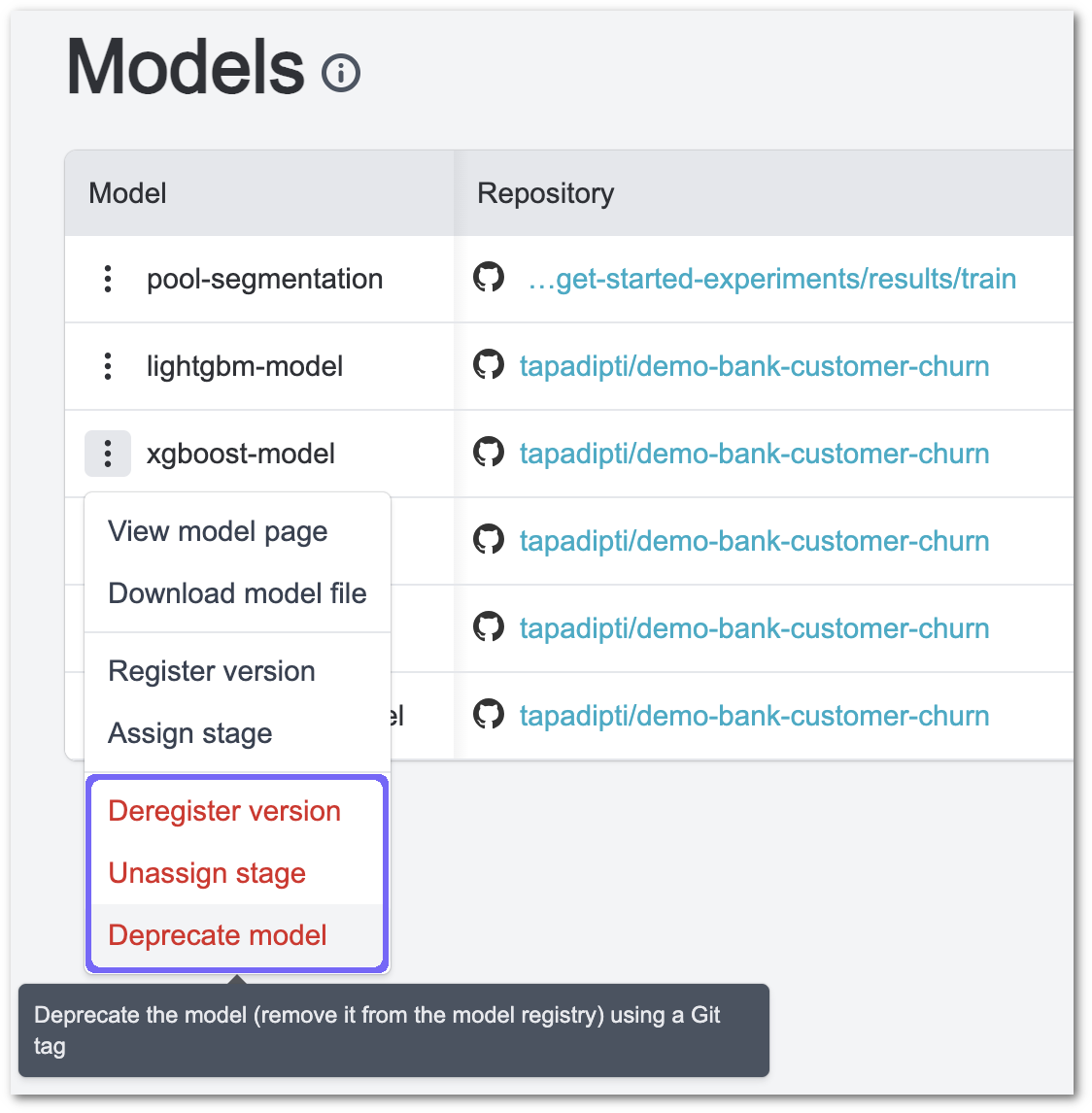
These actions can be found in the 3-dot menu next to the model name in the models dashboard (see the section highlighted in purple below).
These actions are also available in the model details page:
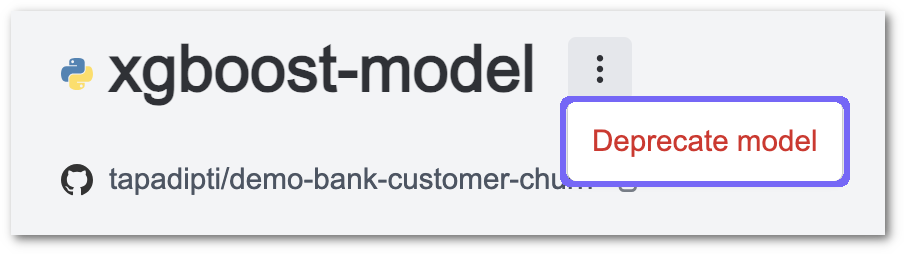
Deprecate modelaction is present in the 3-dot menu next to the model name.
Deregister versionbutton is present next to the version dropdown.

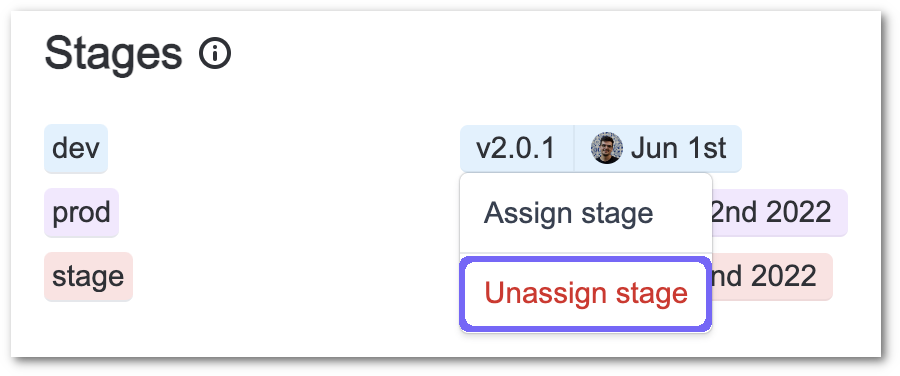
- Click on the relevant stage assignment pill in the
Stagessection to reveal theUnassign stagemenu item.
To remove all of a project's models from DataChain Studio without deprecating them, you can simply delete the project.
You can also remove a model version or stage assignment by removing the corresponding Git tag directly from your Git repository. But this destroys the audit trail of the original version registration or stage assignment action.